
Packet Capture or PCAP files are files that contain a snapshot of network packet data.
PCAPs are useful for network engineers and security analysts to see what is happening on the network, helping troubleshoot network issues by looking at TCP handshakes for example, and to defend against security threats by looking at things like unusual traffic or scanning activity.
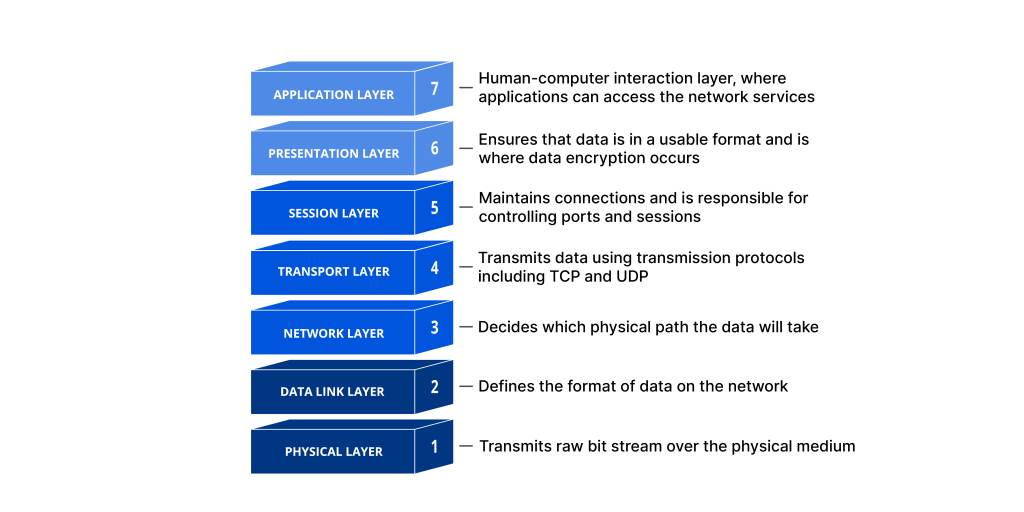
As a side note, I personally have an interest in TCP as having some knowledge of it has helped me in the past with pinpointing where the root cause of network slowness was. TCP resides in a layer (Transport layer of the OSI model) that more often than not, gets overlooked, as it resides between the Network layer and the Session layer and so it’s not typically a focus for network engineers or DBAs, developers etc.
There are different versions of PCAP files but the main ones you would see would be Libpcap and pcapng, as its used by tcpdump and Wireshark, the two most common packet sniffing and PCAP analysis tools.
tcpdump is a command line interface tool and if you are familiar with Linux doesn’t take too long to get familiar with it. You can see if it’s installed in your linux installation with the command which tcpdump if its installed you will see the location of where its installed – on my Kali VM it’s /usr/sbin/tcpdump
You can also just type commands like the following which will work if tcpdump is installed:
tcpdump -d show available interfaces for packet capture
tcpdump -h show tcpdump and libcap version
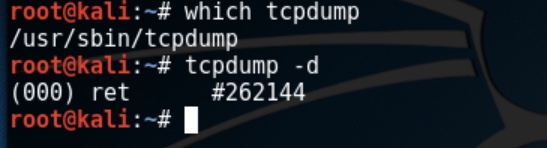
If its not installed, you can just use your distributions package manager and install it – commands will vary, but it will be something like sudo apt-get install tcpdump
Note that elevated permissions are required to run tcpdump, so sudo will preface the commands you run if you aren’t logged in as root.
There are many resources available for how to use tcpdump, and it’s important to get to know how to use the commands so you can filter by what you are looking for, as the output from an unfiltered packet capture is not something you want to be having to search through. tcpdump is resource intensive so you don’t want to leave your packet captures running for too long. As you get used to the commands, just remember ctrl + c to stop the capture if you haven’t set a capture size
The great thing about the tcpdump is you can use it when you only have remote shell access to a machine (as is often the case in pentests) and you have the option to save PCAP files to then open and analyze on a tool like Wireshark.
Wireshark is probably the most well known packet capture tool – like tcpdump, the captures are resource intensive and for security reasons should be run as a non-privileged user.
The great thing about Wireshark is that it’s a GUI interface and it lets you get really granular in filtering and has colour coding to help distinguish different packet types such as TCP and HTTP traffic, making analysis much easier.
Packet sniffing tools do have their limitations – the main limitation is they cannot analyze encrypted traffic. Deep packet inspection or DPI for SSL/TLS traffic (the majority of internet traffic is SSL/TLS) now utilizing AI like many other tools to improve capabilities but they are still very resource intensive.
This is where end point solutions, behavioral analysis and the implementation of WAFs are useful. Despite the limitations however, PCAPs are essential for allowing real time analysis of the network and hosts to help defend against threats and perform forensic analysis after a breach.
 forkthis...